Did you know that you can schedule focused browsing ahead of time in Hapara? Or that you can release a students that is in focused browsing from another class? Check out these updated Hapara How-Tos for those and other Hapara tips!
Green Screen in B104
Canvas Conversations: Quizzes
Looking for a quick way to assess how your students are doing on SOL topics? Or any topic? Try out Canvas quizzes. Easy-to-use and easy-to-track, Canvas quizzes grades for you and gives item analysis. You can even track student progress across quizzes. Listen to our own Diller Matthews explain how he uses Canvas quizzes: Canvas Conversations – Quizzes Want more help on using Canvas Quizzes? Ask Kyle or Jim or check out the Canvas guides What are Quizzes? and What Quiz types can I create in a course?
More Poetry Fun! Black-out Poetry
Check out another fun activity for April – Poetry Month! This could be used in any content area. Black out poetry. See the example below and then learn how to do it from Eric Curtis’ blog: http://www.controlaltachieve.com/2017/03/blackout-poetry.html

Canvas Conversation: Assignments and Speedgrader
Have you tried the Speedgrader in Canvas? Speedgrader allows you to comment on and mark up student work that has been submitted through Canvas. Watch this short video of Diller Matthews (8th-Science) explain what he likes about the Assignments and Speedgrader tools in Canvas. Want to know more about the Canvas Speedgrader? Check out these Canvas guides: What Is Speedgrader? More Canvas Guides about Speedgrader
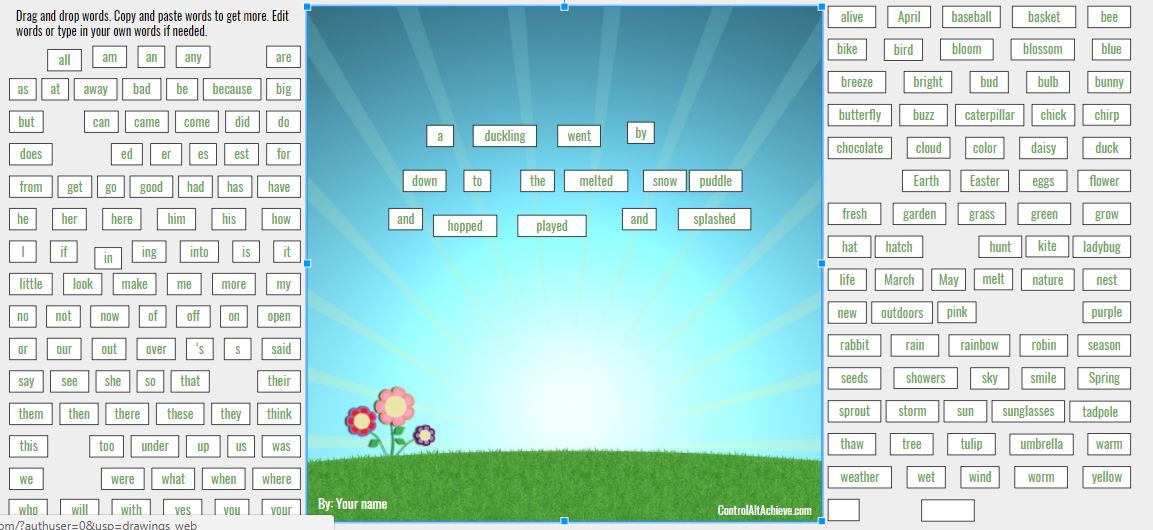
Springtime Magnetic Poetry
April is National Poetry Month – let students create their own magnetic poetry with Springtime Magentic Poetryfrom Control Alt Achieve by Eric Curtis using Google Draw
Mind Mapping Tool
Looking for a good tool for students to organize their thinking or brainstorm? Check out MindMapMaker. Students do not need a log in and can save their mind maps in their Google Drive or take a screenshot and submit to you in Canvas.
Canvas Calendar Video by GW Staff
There are many features of Canvas that GW staff depend on to keep themselves and their students organized. Watch this short video of Diller Matthews (8th-Science) explain what he likes about the Calendar feature in Canvas.
Voice Record with Vocaroo
Have students record themselves speaking! If you would like to create an audio recording that has a unique hyperlink or that can be downloaded into an MP3 or QR Code, check out Vocaroo. How might you use this? Mrs. McNutt’s students are making a mural of the solar system. They recorded explanations of different parts of the solar system and used Vocaroo to make QR codes to play their explanations on a gallery walk! Directions here.
3D Printing Lessons
Our 3D printer is also active and looking for classrooms to visit! Contact us to plan a lesson where your students design a 3D object to represent what they are learning. Great for teaching shapes, perimeter, volume or designing memorials, musical instruments or artifacts. Give us your content, we’ll give you a 3D printing lesson! Or just come by B104 sometime to see it in action!